
Skip to content
  • Trusted Website Restoration Experts for Businesses Worldwide
  • Free Website Recovery Consultation
  • WhatsApp Support
Wayback Restore
  • Services
    • Elementor WordPress Restoration
    • Website Redesign and Restoration
    • WordPress Website Restoration
    • WooCommerce Website Recovery
    • HTML Website Restoration
    • Expired Domain Restoration
    • Shopify Website Restoration
    • Wix Website Restoration
    • Webflow Website Restoration
    • Drupal Website Restoration
    • Bulk Website Restoration for Agencies
    • Divi WordPress Restoration
    • Bricks WordPress Restoration
  • Pricing
  • Tools New
    • Wayback Downloader New
    • Free Checker
  • Resources
    • Blog
    • Portfolio
    • Reviews
    • Restoration Process
    • FAQ
    • Downloader vs Restoration
  • Contact
  • Services
    • Elementor WordPress Restoration
    • Website Redesign and Restoration
    • WordPress Website Restoration
    • WooCommerce Website Recovery
    • HTML Website Restoration
    • Expired Domain Restoration
    • Shopify Website Restoration
    • Wix Website Restoration
    • Webflow Website Restoration
    • Drupal Website Restoration
    • Bulk Website Restoration for Agencies
    • Divi WordPress Restoration
    • Bricks WordPress Restoration
  • Pricing
  • Tools New
    • Wayback Downloader New
    • Free Checker
  • Resources
    • Blog
    • Portfolio
    • Reviews
    • Restoration Process
    • FAQ
    • Downloader vs Restoration
  • Contact
Start Restoration
Client Login

Category: Website Restoration Tips

Rebuilding an Online Store from the Wayback Machine: WooCommerce vs Shopify

How to rebuild a store from archived pages: catalog evidence, product and category URLs, checkout, Shopify exports and themes, and WooCommerce vs Shopify.

What the Wayback Machine Can and Cannot Recover: Images, CSS, Fonts, PDFs, Videos, Forms and Menus

What a Wayback Machine snapshot really contains, asset by asset: CSS, fonts, images, PDFs, videos, forms, menus, meta tags, and what must come from the owner.

After Website Restoration: The SEO and QA Checklist (Links, Canonicals, Sitemap, Handover)

The post-restoration checklist: acceptance scope, internal links, canonicals and redirects, sitemap, hreflang, HTML package QA, and measuring search recovery.

WordPress Hacked Redirect: Find and Remove the Code

Green code scrolling on a dark screen, like the hidden code behind a WordPress hacked redirect

WordPress hacked redirect sending visitors to spam? Find where the code hides, remove it step by step, close the entry point and clean up search results.

How to Restore a SiteGround Website From a Backup

Rack of web hosting servers in a data center, where SiteGround-style daily website backups are stored

Restore a SiteGround website from Site Tools backups: full, files-only or database restores, what to do if the site was deleted, and other recovery options.

Elementor Revision History: Restore an Earlier Page Version

Watercolor wireframe sketches of website page layouts, like earlier versions in Elementor revision history

Use Elementor revision history to restore an earlier page version, see why revisions are missing, and recover a page from templates, backups or archives.

How to Restore a WordPress Database From a Backup

Open hard drive showing the platter, representing data storage for a WordPress database backup

How to restore a WordPress database with your host, phpMyAdmin or WP-CLI, the checks to run afterwards, partial restores, and what to do with no backup.

Recover a Deleted GoDaddy Website: Backups, Support and Archive Options

Four unplugged USB cables hanging against a grey background

How to recover a deleted GoDaddy website: restore from Daily Backups or Website Security and Backups, what to ask support after hosting expires, and how to rebuild from archives when nothing is left.

How to Recover a Website From Google Cache Now That It Is Gone
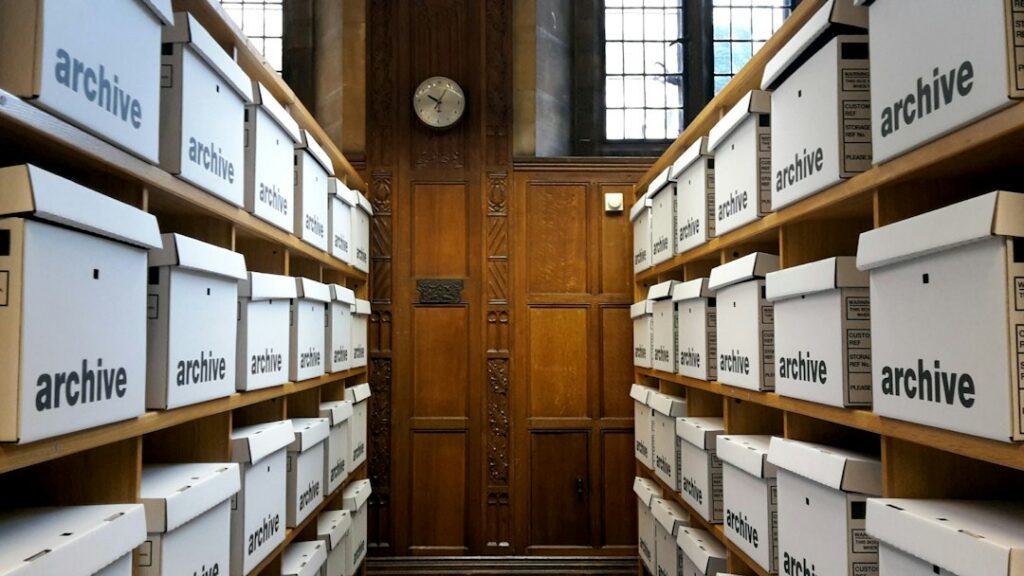
Aisle of wooden shelves stacked with white archive boxes leading to a wooden door

Google retired its cache in 2024, so you can no longer recover a website from Google cache. Here are the sources that still hold copies of lost pages, the order to check them in, and their limits.

WordPress White Screen of Death: How to Fix It and When to Recover

Blank lined notebook and pen beside a vintage typewriter and crumpled paper on a dark desk

The WordPress white screen of death usually means a fatal error, not lost content. Use recovery mode, the debug log, and plugin and theme checks to fix it, and know what to do if files are really gone.

Next →
Wayback Restore

Professional Wayback Machine website restoration for businesses, agencies, developers, and domain owners rebuilding recoverable sites from Archive.org snapshots, historical website records, and available project files.

  • Defined Review Process
  • Delivery Planning
  • Worldwide Service
Services
WordPress website restoration
WordPress Restoration
Elementor WordPress restoration
Elementor Restoration
WooCommerce website recovery
WooCommerce Recovery
Website redesign and restoration
Website Redesign and Restoration
HTML website restoration
HTML Restoration
Bulk website restoration
Bulk Website Restoration
Company
  • About Us
  • Portfolio
  • Services
  • FAQ
  • Free Restore Checker
  • Pricing
  • Downloader vs Restoration
  • Expired Domain Restoration
  • Order Now
  • Contact Us
  • Reviews
Resources
  • Wayback Downloader New
  • Website Recovery Service
  • Restoration Process
  • Blog Posts
  • Free Review Request
Contact
  • contact@waybackrestore.com
  • WhatsApp Chat
  • Response After Request Review
  • Worldwide Service

Supplied URLs, files, and access details are used for restoration review and service delivery.

© 2026 Wayback Restore.
  • Payments through WooCommerce checkout
  • Project details limited to delivery
  • Professional support
  • Privacy Policy
  • Terms & Conditions
  • Refund Policy
.elementor-element-f7a768aa { display: none !important; } @media (max-width: 900px) { .elementor-element-c884068 .elementor-icon-list-text { overflow-wrap: anywhere; word-break: break-word; } }
Abuzar Mustansar, founder of Wayback Restore

Abuzar Mustansar

Abuzar

Hey, how can I help you today?

Click to start chat